
GA4 Key Events for Lead Generation
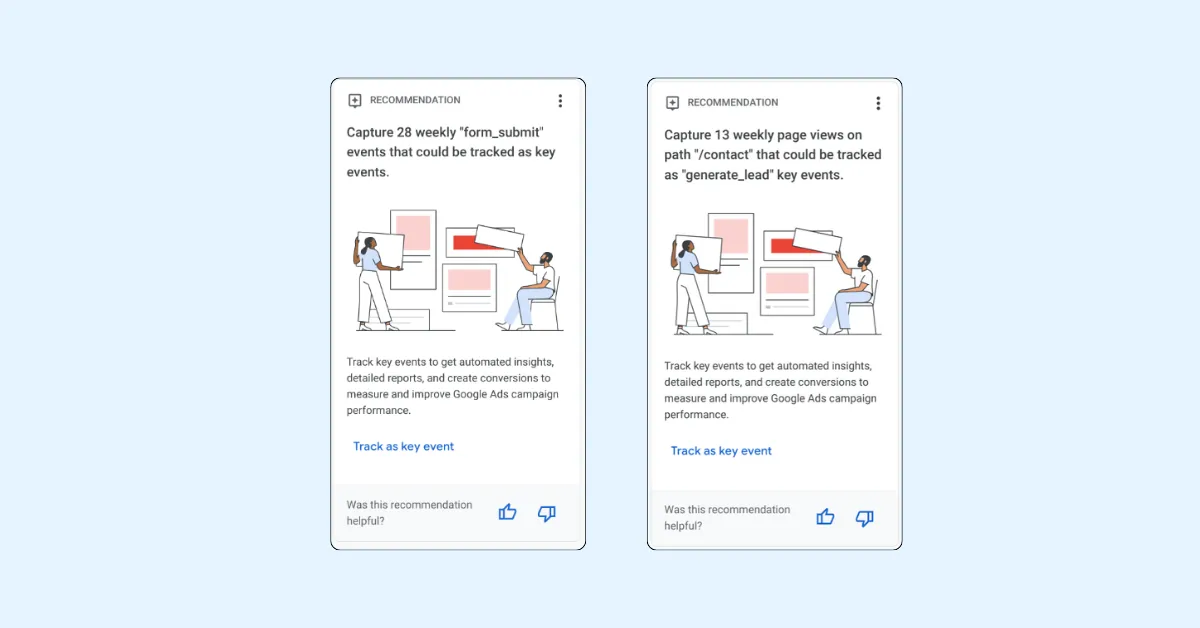
GA4 key events for lead generation should represent confirmed, meaningful actions such as a successfully delivered form, completed booking, or qualified downstream stage. Button clicks and page views can support diagnosis, but they should not automatically become primary success measures.
Build the plan with analytics and reporting, digital marketing, and the relevant service journey.
Begin with business definitions
Define lead, valid lead, qualified lead, appointment, opportunity, and customer with sales stakeholders. Record owners and exclusions such as spam, duplicates, job applications, suppliers, and out-of-area enquiries.
Map observable steps
Typical events include form start, validation error, successful submission, phone click, chat start, booked appointment, download, and account creation. Mark only the business outcomes that deserve key-event status.
Trigger after confirmation
For forms, send success after the server or CRM accepts the record. For bookings, use completed confirmation rather than calendar views. A click can fail, be abandoned, or be repeated.
Use a naming standard
Choose concise stable event names and documented parameters. Avoid personal information in event values. Create a data dictionary with definition, trigger, page scope, owner, and QA method.
Prevent duplicates
Test double clicks, refreshes, browser back, single-page navigation, tag-manager overlap, and imported platform events. Use transaction or event identifiers where the integration supports them.
Measure phone and chat carefully
A phone click is not a completed call, and a chat open is not a qualified conversation. Keep interaction and outcome events separate. Confirm consent, recording, routing, and provider behavior.
Connect CRM outcomes
When lawful and technically appropriate, associate lead records with acquisition context and report qualified stages back to analytics or advertising systems. Use privacy-aware identifiers and access controls.
Configure consent and exclusions
Test behavior before and after consent choices. Exclude internal, development, agency, and automated traffic through documented methods. Never send form content or sensitive URL data to GA4.
Debug the whole journey
Use test submissions, browser diagnostics, DebugView, real-time reports, CRM confirmation, and notification delivery. Test mobile, desktop, validation failures, third-party pages, and slow connections.
A free website audit and accessible-form review can expose failures that analytics alone cannot explain.
Build decision-focused reports
Report landing page, source, campaign, device, location where appropriate, key events, qualified outcomes, and sales timing. Explain attribution settings and consent limitations. Differences between systems do not automatically mean one is wrong.
What does GA4 lead tracking cost?
Cost depends on number of forms and domains, tag architecture, consent, phone and booking vendors, CRM integration, offline stages, and QA. A simple site differs from a multi-location sales operation.
Checklist
Define meaningful lead stages.
Separate interactions from outcomes.
Trigger after confirmed success.
Standardize names and parameters.
Test duplicates and exclusions.
Protect consent and personal data.
Validate CRM delivery.
Document reports and attribution limits.
Frequently asked questions
What replaced conversions in GA4?
GA4 uses the term key events for events marked as important business actions, while advertising products may still use conversion terminology.
Should form_start be a key event?
Usually it is diagnostic. Successful, valid submission is closer to business value.
Why are events duplicated?
Common causes include multiple tags, repeated callbacks, page refreshes, and importing the same action through another source.
Can GA4 show qualified leads?
It can when CRM stages and identifiers are integrated appropriately, with privacy and platform requirements satisfied.
Should phone clicks count as leads?
Keep them as interactions unless call completion or qualification can be verified.
How often should events be audited?
After releases and integration changes, plus a recurring schedule based on business risk.
Related Resources
For additional information and practical guidance, explore these related resources:
Learn more about online security
Read our privacy and safety guidelines
Explore our beginner's guide
Visit the official resource [custom mirror works in Dubai]
Comments
Comments appear after admin approval.